Shorter enterprise onboarding
A no-code console made customer-specific workflows easier to configure.
Raise a request in Microsoft Teams.
Follow one connected procurement journey.
I led the LangGraph-powered procurement workflow orchestration platform in Microsoft Teams and shipped a no-code console for tenant-specific policies. Requesters could start procurement requests directly in Microsoft Teams, reducing the need to navigate separate Zycus products to initiate and coordinate the work. Merlin coordinated the required activities across the suite, while the no-code console reduced the effort needed to configure each enterprise customer.
A no-code console made customer-specific workflows easier to configure.
Configured workflows guided requests through the required procurement steps.
The policy-compliant procurement workflow platform served more than a thousand users.
Procurement managers received policies through notes and instructions. Implementation managers configured those rules within individual products during client onboarding. Employees then had to navigate the suite and know which product to use for each activity.
Customer teams described the time required both to onboard and to complete the procurement cycle. The friction came from disconnected steps, policy interpretation and repeated configuration across products.
Knowing the business need was not enough. Users also needed to know the policy, the correct application and the next step.
Each tenant had different policies. Translating those policies into configurations across the suite consumed time before the customer could start using the workflow.
I owned product strategy and roadmap, using customer feedback to shape the connected procurement experience and policy workflow requirements.
I led the no-code console that exposed available capabilities and APIs as configurable activities, with conditions spanning different procurement products.
I worked with delivery teams and partnered with customers, Sales and Marketing on roadmap, demos and go-to-market.
My ownership covered what the workflow needed to do, how users and implementation managers interacted with it, priorities and success measures. Engineering implemented the orchestration, APIs and production integrations.
I brought procurement into Microsoft Teams, where requesters could raise requests directly. Merlin connected the requisition, sourcing, contract and supplier activities behind that entry point.
The workflow followed configured conditions through LangGraph. Tenant policy determined the allowed path, including spend-based conditions and supplier or contract checks.
I shipped a drag-and-drop console where implementation teams could compose available capabilities and add conditions across products. Policies were visible in the interface so users could understand the required steps.
Merlin Intake uses a conversational interface to help users express their procurement needs. In the workflow I owned, LangGraph executed the configured policy path. The later no-code console made that path easier to define and change.
Requesters raise procurement requests directly inside Microsoft Teams. AI-guided intake helps collect the relevant information, while the workflow connects the underlying Zycus activities.
Configured conditions determine the required steps. Spend and supplier policies govern progression through the workflow.
Product APIs perform the appropriate requisition, sourcing, contract or supplier activity.
Workflow illustration: capabilities and conditions form a tenant-specific execution path.
This walkthrough illustrates one purchase-requisition journey. The information gathered, policy checks and next steps depend on the request and the tenant’s configured workflow.
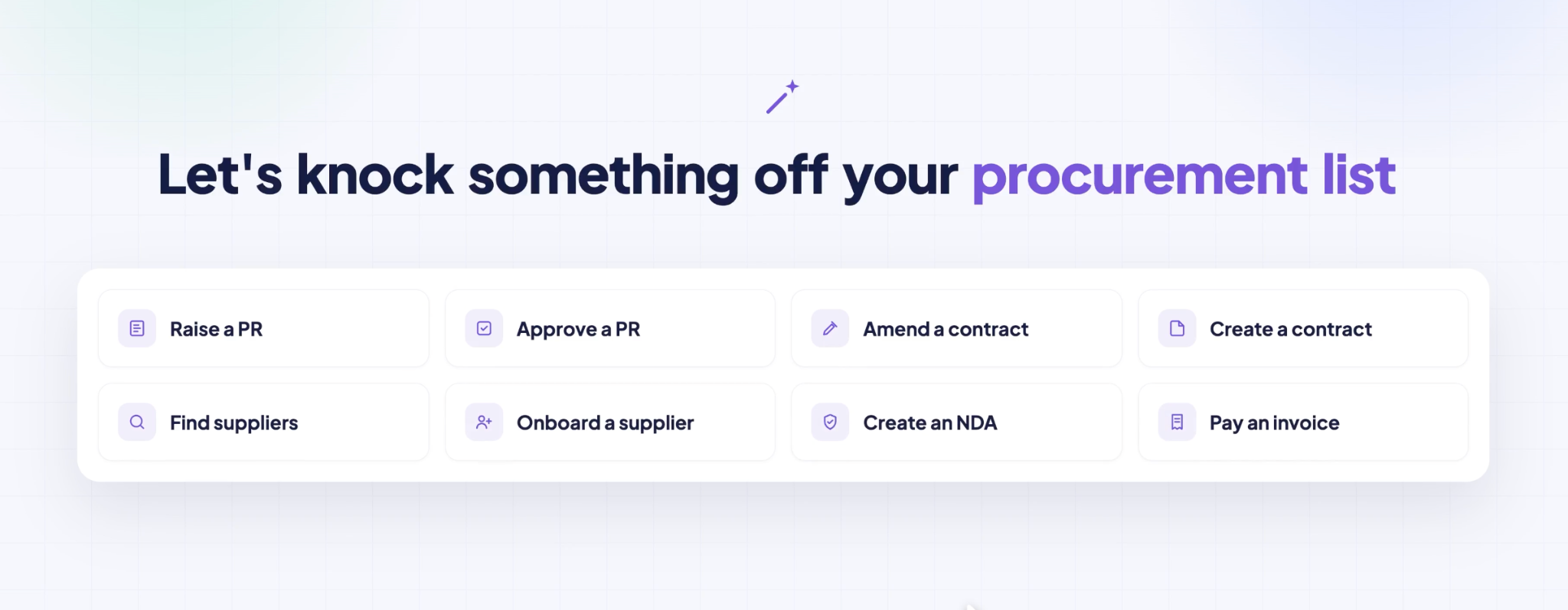
The entry screen offers procurement tasks such as raising a requisition, finding suppliers and creating an NDA. A task shortcut is an entry point, not proof that every downstream action is completed automatically.
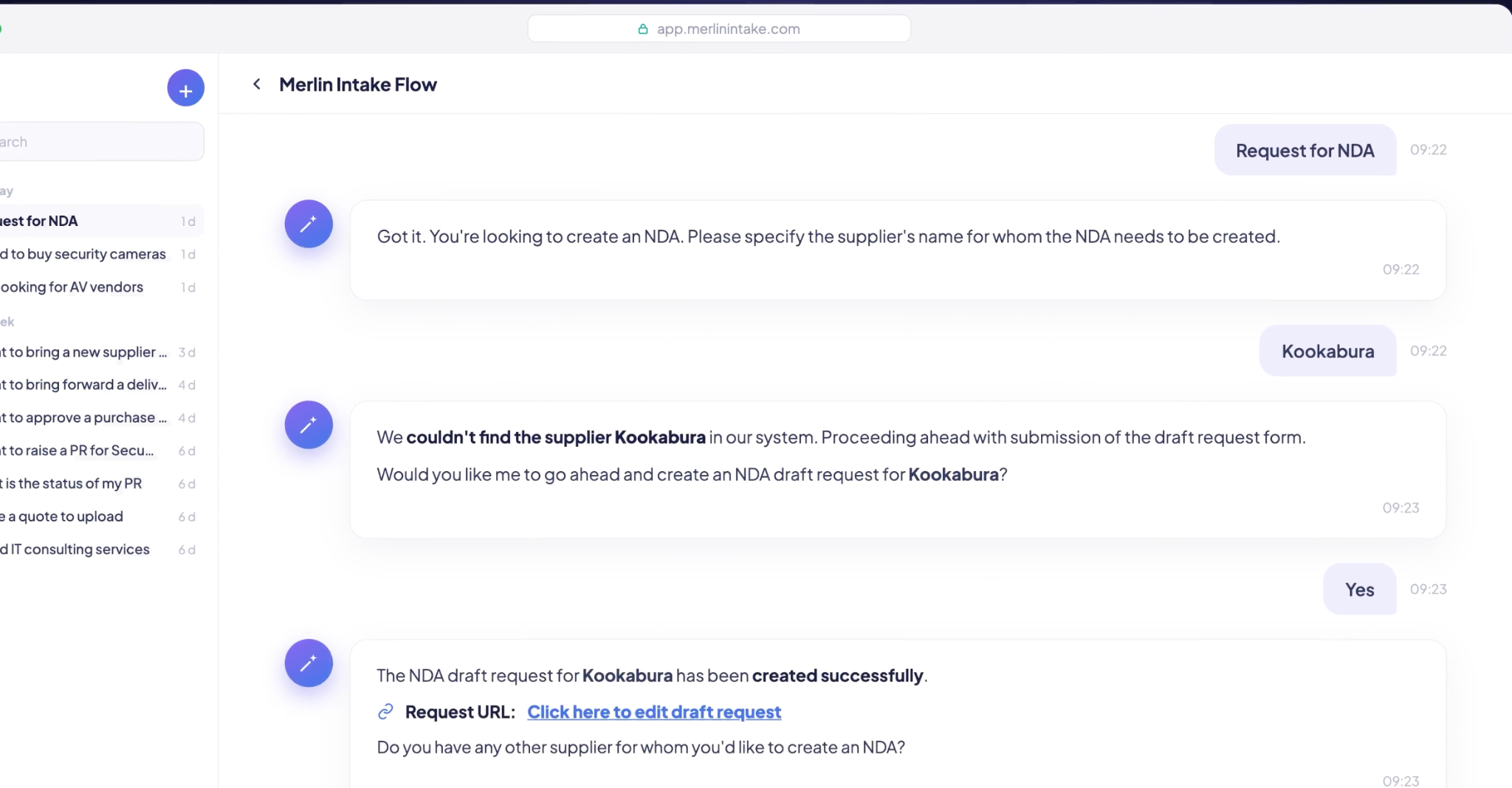
Select an image to open it at full size.The NDA flow follows a different path. When the supplier is not found, the demonstration asks for confirmation before creating a draft request and providing an editing link.
The assistant collects the information needed for the task. Connected data adds catalog, purchase and supplier context. The configured workflow determines the permissible action, review steps and system update.
This purchase-policy illustration combines a spend condition with a contract-eligibility condition. Change the inputs to explore that example. Other workflows can have different rules, such as creating an NDA draft for a supplier not yet in the system.
Purchase-policy example · thresholds, checks and allowed actions vary by tenant and workflow.
Both configured conditions are satisfied. The request can follow the tenant’s automatic-processing path.
The conditions determine the route. The language model does not choose a different policy.
A direct procurement entry point in Microsoft Teams, with fewer product switches and a clearer path through the tenant’s policies. Users could initiate work in a familiar tool and follow the required next steps, with connected records available when needed.
100% policy compliance across 1,000+ users.
Less time needed to configure each enterprise, supported by reusable capabilities and conditional workflows.
70% shorter enterprise onboarding.
I treated onboarding effort, compliance and adoption as connected product outcomes. A simpler employee experience created value only when each customer’s policies could also be configured and executed reliably.
The important product work was connecting the request, the policy and the underlying system actions. Making the policy executable reduced the user’s coordination burden. Making the policy configurable reduced the implementation team’s burden.